
Schedules
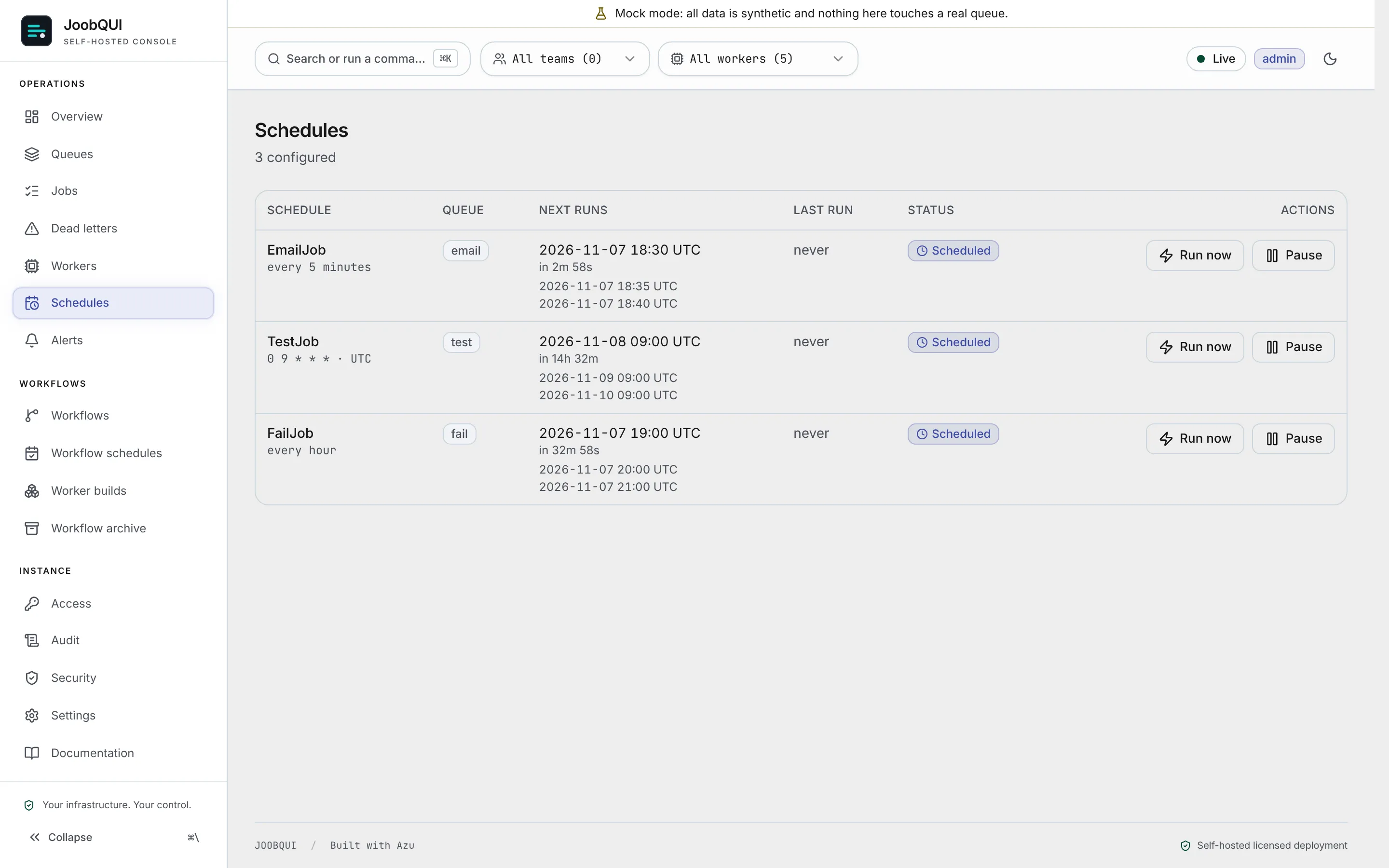
Two kinds, with different routes and engines:
| Job schedules | Workflow schedules | |
|---|---|---|
| Edition | Core | Pro |
| Starts | a job on a queue | a run of a workflow |
| Declared | from SDK code (register_schedule), or YAML (schedulers:, sdk_schedules:) | in the console or POST /api/v1/workflow-schedules (admin) |
| Managed | /api/v1/schedules (pause, resume, run now) | /api/v1/workflow-schedules (create, change, delete, pause, resume, trigger, backfill) |
| Fired by | the schedule runner, in the web process and in any --worker process | the engine's scheduler: a joobq-pro workflow Worker, or the web process with JOOBQUI_WORKFLOW_SCHEDULER=true |
Job schedules from code (Core)
register_schedule (registerSchedule, RegisterSchedule, RegisterScheduleAsync) registers a cron or recurring job schedule with POST /api/v1/sdk/schedules, idempotent by name: registering the same name again updates it in place. Pass exactly one of cron (5 or 6 fields) or every ("<count> <unit>", for example "30 seconds", "5 minutes"; at least 1 second), plus the job type and the queue, and optionally timezone (default UTC), payload, max_retries, encrypt_fields and unique_key. The answer is {id, name, kind, created}.
@job("conf.register_sched", queue=QUEUE)
def register_sched_job(payload, ctx):
    probe = payload["probe"]
    res = ctx.register_schedule("conf-sched-" + LANG + "-" + probe, "conf.sched", QUEUE,
                                every="3 seconds", payload={"probe": probe})
report(ctx, "register_sched", payload, id=res.get("id"))defineJob<App>({ name: 'conf.register_sched', queue: QUEUE, perform: async (p, ctx) => {
const probe = p.probe
const res = await ctx.registerSchedule(`conf-sched-${LANG}-${probe}`, 'conf.sched', QUEUE, { every: '3 seconds', payload: { probe } })
return report(ctx, 'register_sched', p, { id: res.id })
} }),class RegisterSchedJob
include JoobQ::Job
job_name "conf.register_sched"
queue QUEUE
def self.perform(p, ctx)
probe = p["probe"]
res = ctx.register_schedule("conf-sched-#{LANG}-#{probe}", "conf.sched", QUEUE,
every: "3 seconds", payload: { probe: probe })
report(ctx, "register_sched", p, id: res["id"])
end
endjoobq.DefineJob[*App]("conf.register_sched", opts, func(p map[string]any, ec *EC) (any, error) {
probe := p["probe"]
res, err := ec.Client.RegisterSchedule(ec.Ctx, joobq.ScheduleInput{
Name: fmt.Sprintf("conf-sched-%s-%v", lang, probe),
JobType: "conf.sched",
Queue: queue,
Every: "3 seconds",
Payload: map[string]any{"probe": probe},
})
if err != nil {
return nil, err
}
return report(ec, "register_sched", p, map[string]any{"id": res.ID})
}),JobDef::new("conf.register_sched", queue.clone(), move |p: Value, ctx: &Ctx| {
let probe = p["probe"].as_str().unwrap_or("").to_string();
let client = JoobQClient::new(var("JOOBQ_GATEWAY_URL"), var("JOOBQ_SDK_TOKEN"));
let res = client.register_schedule(ScheduleOptions {
name: format!("conf-sched-{}-{}", sched_lang, probe),
job_type: "conf.sched".into(),
queue: sched_queue.clone(),
every: Some("3 seconds".into()),
payload: Some(json!({"probe": probe})),
..Default::default()
})?;
report(ctx, "register_sched", &p, json!({"id": res["id"]}))
}),JobDefinition.<App>of("conf.register_sched", QUEUE, 3, (p, ctx) -> {
String probe = (String) m(p).get("probe");
Map<String, Object> res = ctx.registerSchedule("conf-sched-" + LANG + "-" + probe, "conf.sched", QUEUE,
ScheduleOptions.every("3 seconds").payload(map("probe", probe)));
return report(ctx, "register_sched", p, map("id", res.get("id")));
}),final class RegisterSchedJob extends ConfJob
{
public static function jobName(): string { return 'conf.register_sched'; }
public static function perform(array $p, ExecutionContext $ctx): mixed
{
$probe = $p['probe'];
$res = $ctx->client->registerSchedule('conf-sched-' . LANG . '-' . $probe, 'conf.sched', QUEUE, ['every' => '3 seconds', 'payload' => ['probe' => $probe]]);
return report($ctx, 'register_sched', $p, ['id' => $res['id'] ?? null]);
}
}JobDefinition<App>.Define("conf.register_sched", Queue, 3, async (p, ctx) =>
{
var probe = p?["probe"]?.GetValue<string>();
var res = await ctx.RegisterScheduleAsync(name: "conf-sched-" + Lang + "-" + probe, queue: Queue, jobType: "conf.sched", every: "3 seconds", payload: new { probe });
return await Report(ctx, "register_sched", p, new() { ["id"] = res?["id"]?.GetValue<string>() });
}),Not in every language
- Crystal: Gateway-mediated schedule registration: Crystal uses JoobQ's own YAML schedulers.
Tested against a real server in every language shown.
The schedule fires on the server and enqueues the job onto its queue on each tick; a worker that serves the queue runs it. Editing, pausing and deleting schedules are console operations, not part of the SDKs.
Job schedules in YAML (Core)
The server's YAML file (config/joobq.production.yml, or the file named by JOOBQ_CONFIG_FILE) can hold two sections:
sdk_schedules:            # a sibling of joobq:, for jobs an SDK worker runs
  - name: "nightly-report"
    every: "5 minutes"    # or: cron: "0 9 * * *"
    timezone: "UTC"
    queue: "reports"
    job_type: "GenerateReportJob"
    payload: { kind: "daily" }
    max_retries: 2
joobq: schedulers: holds cron_jobs and recurring_jobs of Crystal job classes compiled into the server. Each entry of sdk_schedules: needs name, queue, job_type and exactly one of cron or every; a bad entry is logged and skipped.
Who fires them. The web process and every --worker process run the schedule runner; whichever claims a tick in Redis first enqueues it, so several runners never double a job. Pausing skips ticks (they are not made up on resume).
Workflow schedules (Pro)
402 pro_required and the console's Pro routes are not served. Get a licence · Core and Pro · Pro features indexA workflow schedule starts a run with the id sched-<schedule>-<fire time ms>, once per fire time whatever the number of processes. Exactly one of cron (five fields, evaluated in timezone) and interval_ms (1000 to 366 days); overlap decides what a due run does while the previous one is open (skip by default, buffer_one, allow_all, cancel_previous); catchup_window_ms (default 60000) runs fire times missed during downtime that are younger; max_runs, start_at and end_at bound it.
A schedule fires only while some process runs the engine's scheduler: a joobq-pro workflow Worker with its scheduler on, or the web process with JOOBQUI_WORKFLOW_SCHEDULER=true. Creating schedules without one is allowed, and they wait; GET /api/v1/workflow-scheduler says whether one is alive.
From SDK code. The SDK clients register job schedules only (their register_schedule sends kind: "job"). The gateway route itself accepts kind: "workflow" with workflow and input, and creates an engine workflow schedule whose runs reach the SDK workers (the engine sends their steps to the blueprint's task queue); without a Pro key that call answers 402 pro_required.