
Accounts, SSO, 2FA, roles
Roles
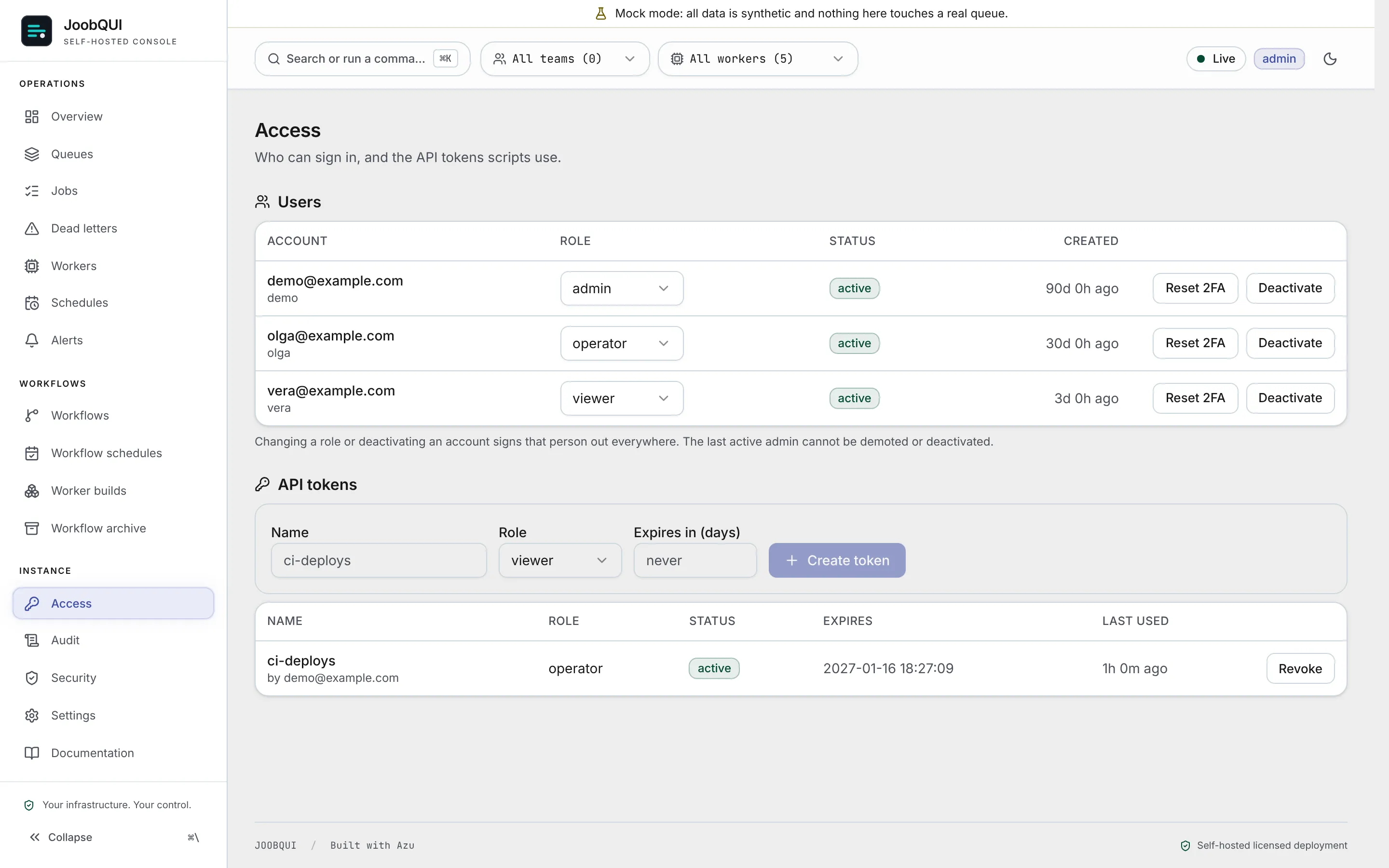
viewer reads; operator also changes queues, jobs, dead letters, workflows and schedules; admin also manages access (users, tokens, notification channels, the audit log, workflow schedules' definitions, search attribute names, worker builds). The table of every route and its role is Roles and permissions.
Accounts and sign-up
- Members of the organization the server is connected to can use Sign in with JoobQ on the login page; their role on the server is their portal role (viewer, operator or admin).
- Local accounts keep working beside it. Their sign-in is by email (
POST /api/v1/session {user, password}); emails are stored trimmed and lower-cased. - A password needs 8 or more characters (at most 72 bytes) with upper and lower case letters, a digit and a special character; a username is 3 to 30 letters, digits or underscores.
JOOBQUI_SIGNUPdecides who may sign up through the API:closed(default,403 sign_up_closed),invite(a one-use code frominvites:create,403 invite_requiredwithout one) oropen(anyone, as a viewer). Underopenandinvitesign-up attempts are rate-limited per client. Behind a reverse proxy setJOOBQUI_CLIENT_IP_HEADERto the header your proxy sets to the caller's address, or every visitor counts as one client.- Repeated failed sign-ins are rate-limited: further attempts get
429 rate_limitedwithRetry-After. - Command-line tasks change accounts directly:
accounts:create,accounts:role(ends the account's sessions),accounts:erase EMAIL --yes,accounts:mfa:reset. See Command line.
API tokens
- Console tokens (Access page, admin): shown once, kept as a SHA-256 hash, with a role and an expiry; revoking one works at once. Creating or revoking tokens and changing users needs a console session (
403 session_requiredfor a token). - Environment tokens:
JOOBQUI_API_TOKENSlists SHA-256 hashes (echo -n "$TOKEN" | shasum -a 256), each optionally:viewer,:operator(the default) or:admin. They belong to no account, so they cannot create tokens or change users (403 env_token_admin) unless the token is an admin one andJOOBQUI_ALLOW_ENV_TOKEN_ADMIN=true. Leave that off: what such a token creates cannot be revoked through an account. - The SDK token (
JOOBQUI_SDK_TOKEN) is separate: it is accepted on/api/v1/sdk/*only. Rotating it means restarting the workers with the new value.
Two-factor authentication
TOTP with recovery codes. JOOBQUI_MFA_REQUIRED_ROLES (for example admin,operator) makes those roles enrol at their next sign-in; until they have, they can do nothing else (403 mfa_enrolment_required). A right password for an account with a second factor answers 401 mfa_required with a challenge, finished by POST /api/v1/session/mfa. In production the second factor needs JOOBQUI_SECRETS_KEY (503 secrets_key_required otherwise). A lost phone: ./joobqui accounts:mfa:reset EMAIL (ends the account's sessions and revokes its tokens).
Single sign-on (OpenID Connect)
Set JOOBQUI_OIDC_ISSUER, JOOBQUI_OIDC_CLIENT_ID, JOOBQUI_OIDC_CLIENT_SECRET and JOOBQUI_PUBLIC_URL (all four, or the server stops naming the missing one) and register JOOBQUI_PUBLIC_URL/api/v1/auth/oidc/callback at the provider. The ID token must be signed RS256 or ES256 and carry a true email_verified.
- Roles come from the groups claim (
JOOBQUI_OIDC_GROUPS_CLAIM, defaultgroups) throughJOOBQUI_OIDC_ROLE_MAP, for exampleadmins=admin,ops=operator,*=viewer: the highest role wins,*is everyone else, no match and no*is a refusal. The role is re-read at every sign-in, unless an admin set it by hand (it is then locked) or the token has no groups claim. - First sign-in makes an account (
JOOBQUI_OIDC_AUTO_CREATE, on by default). An existing account with the same email is linked only withJOOBQUI_OIDC_LINK_BY_EMAIL=true, which replaces its password, drops its second factor and revokes its tokens and sessions. JOOBQUI_OIDC_ONLY=truekeeps passwords for admins only. A role inJOOBQUI_MFA_REQUIRED_ROLESstill enrols a local factor unlessJOOBQUI_MFA_SSO_EXEMPT=true.- On a self-hosted server, single sign-on answers
402 sso_upgrade_requiredwhen the licence tier does not include it (license:statusshowssso_allowed).